Sharing your harmony
Share links, videos with the words, exported files, and what others see.
Contents
On this page
Share a link
- In the studio, tap Share (on a phone, it's in the More menu). Once you've sung every part in Sing, Share is there too.
- You need to be signed in, with your email confirmed.
- Share shows a preview of what listeners will see: the song's name, which you can change right there, how many parts, how long, and whether it's polished.
- Under "What to share", choose all the parts or "One part", and which. "Polished" balances the parts with a little room. Your takes aren't changed.
- Anyone with the link can listen. It isn't listed or searchable, and you can stop sharing at any time. If you've shared the song before, "Use that link" keeps the earlier one. For a new link, tap "Create link".
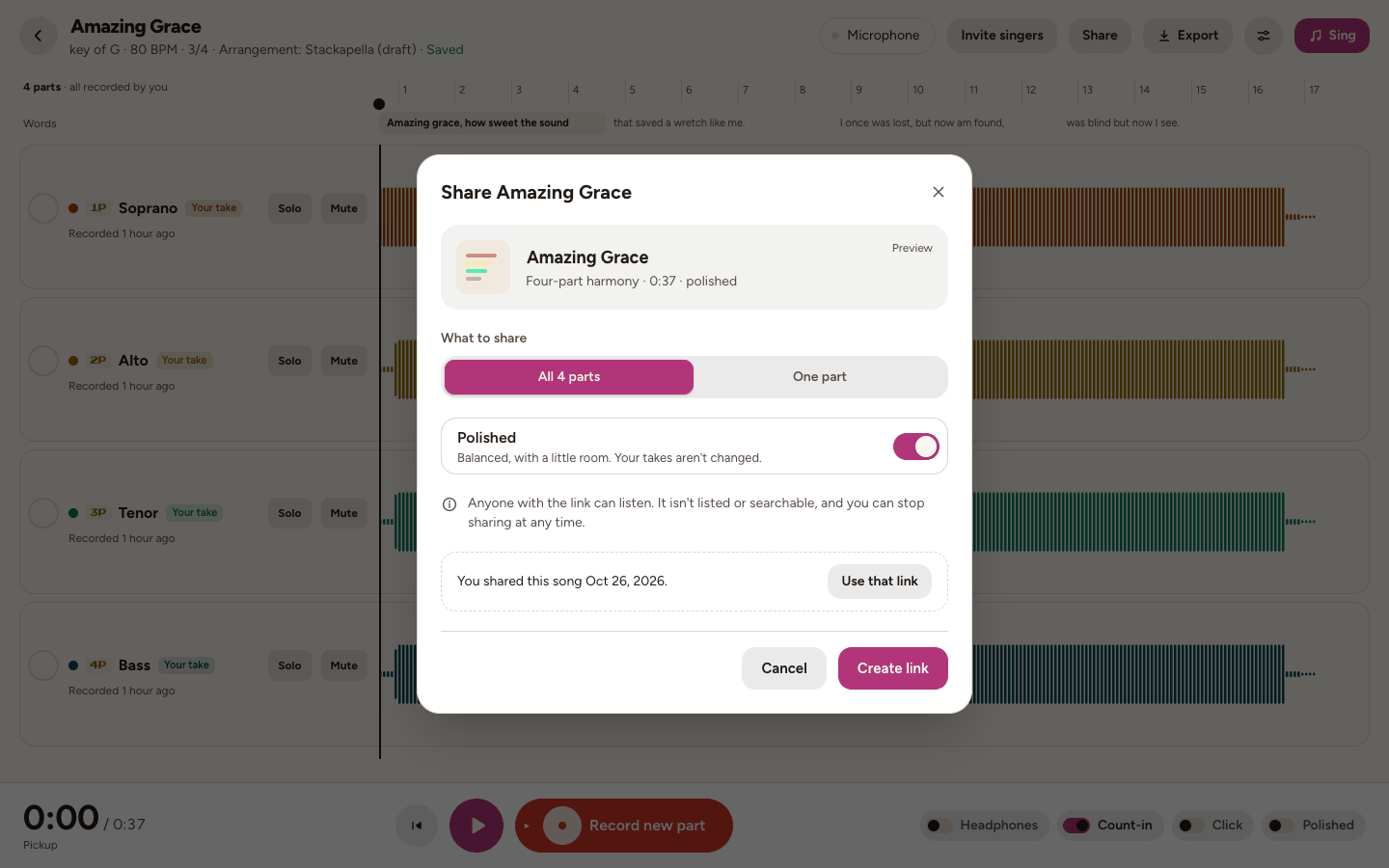
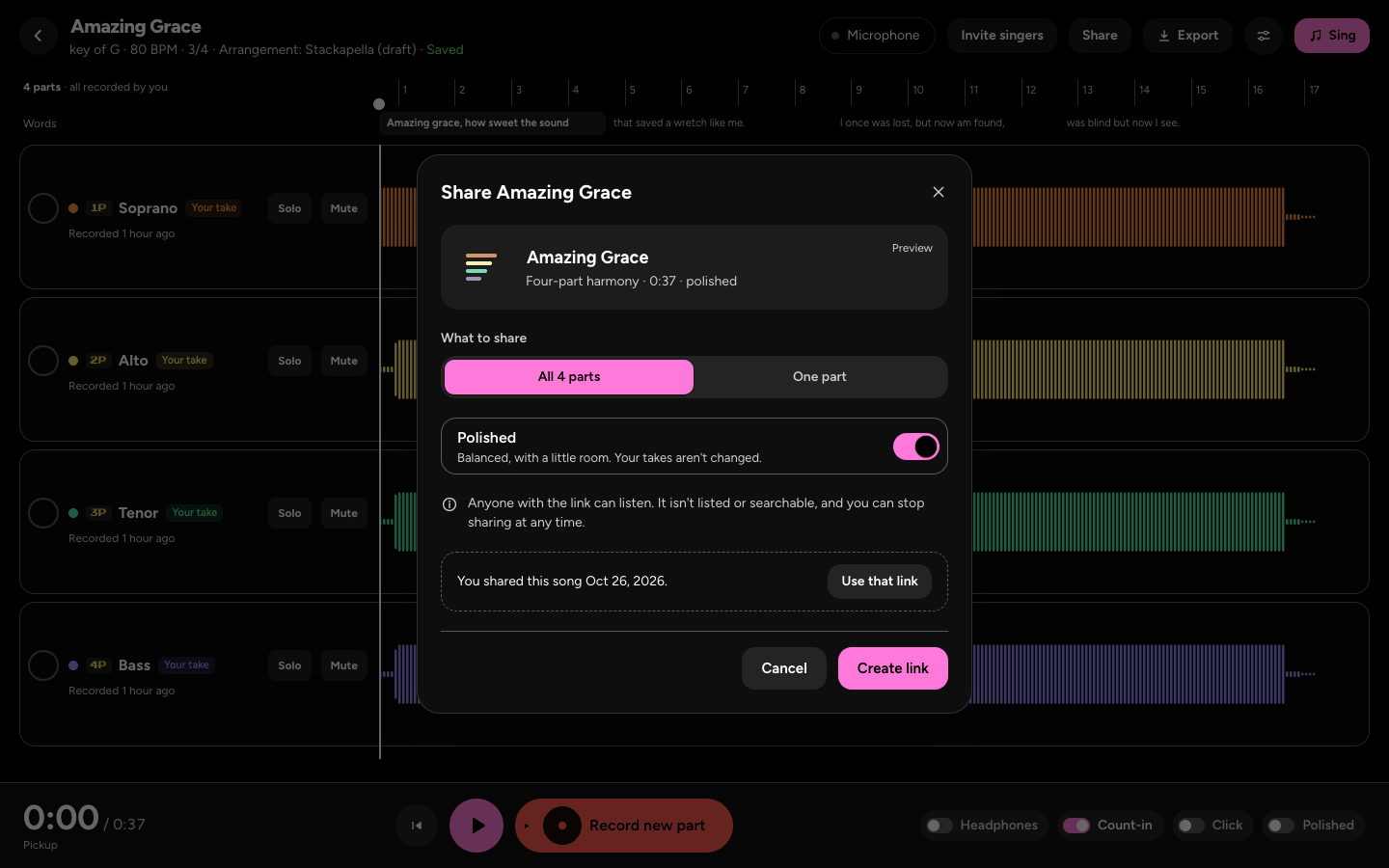
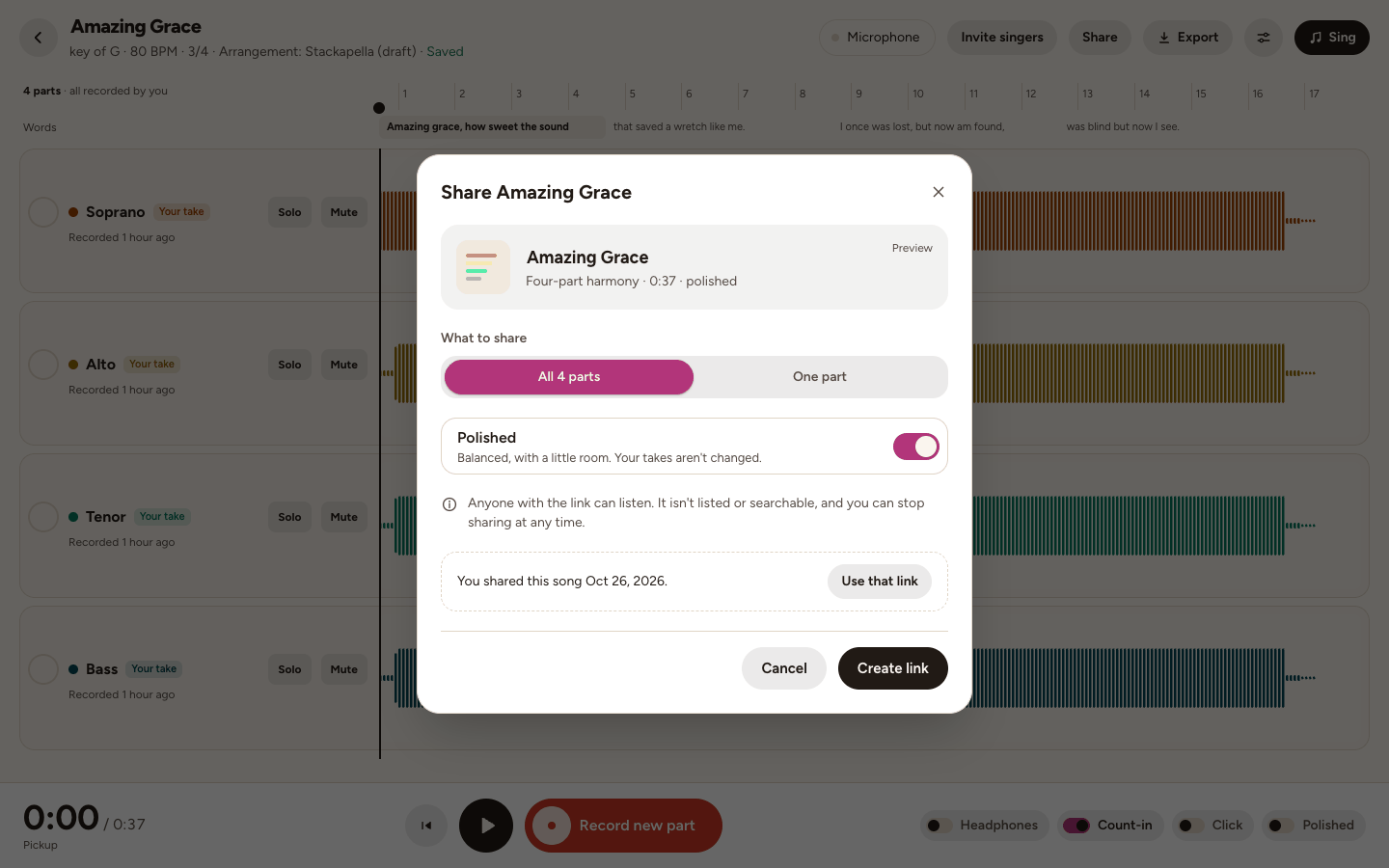
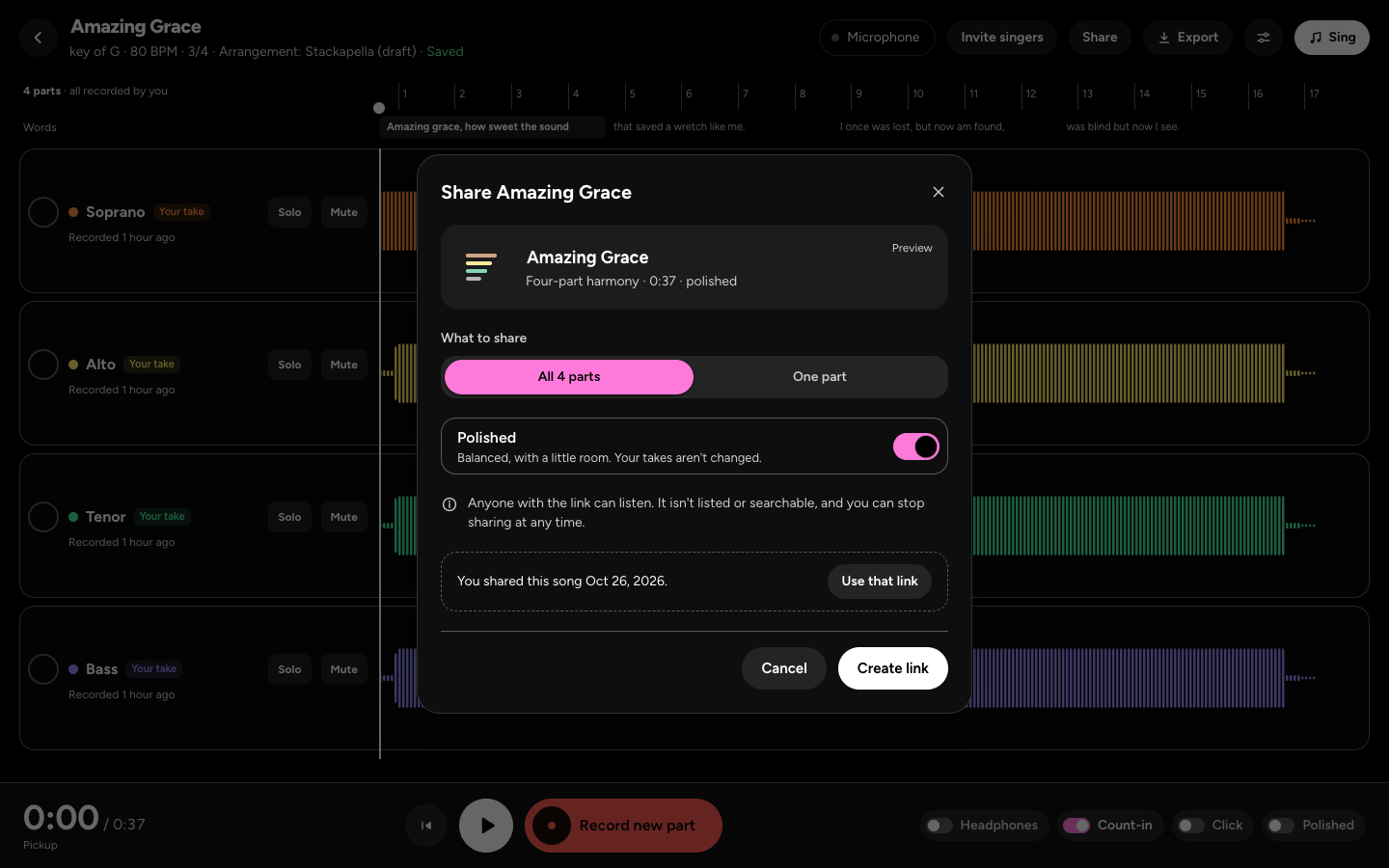
- Tap "Copy link", or send it with "Message", "Email" or "More", or "Post to X" or "Post to Bluesky".
- "Stop sharing" turns the link off at once, and its videos go too. It asks first. Your song stays as it is.
- Sometimes your title shows as "Untitled song" until we've had a quick look at it.
Share a video
- After you share, "Share as a video" makes a vertical video of the best part, with the waveforms and the words, for TikTok, Reels and Shorts.
- Choose Dark or Light, and whether to "Show the words", then tap "Make the video". It takes a minute or two.
- Then tap "Share the video", or Download.
- A video ends with the link, so anyone who sees the video can find the harmony.
Export a file
- In the studio, tap Export at the top (on a phone, it's in the More menu).
- Choose what to export: "The whole song", a "Practice track", or "Each part separately" (one WAV a part, in a ZIP). WAV is the best quality, and free. MP3 (smaller, for sending) and "Each part separately" are on Plus.
- The mix is what you hear now, with each part's volume, pan, mute and solo. A muted part is left out unless you tap "Include it". Under Sound, "Polished" balances the parts and sets the loudness, with a room, and "Piano chords underneath" adds soft backing.
- A "Practice track" is for one part: "Everything but this part" to sing over, or "This part louder", with a click and a bar of count-in if you like.
What people see on a shared link
- The title, who sang it, a player for the harmony, the song and its credits, and the names of any guide voices.
- Buttons to learn the harmony, or to make their own. They don't need an account to listen.
- A shared link isn't listed anywhere, and it isn't offered to search engines.
Report
- Anyone can report a shared harmony: tap Report at the bottom of its page, say what's wrong, add a note if you like, then "Send report". We take a look.
Make it private again
- Open Share in the same song, tap "Use that link", then "Stop sharing". It asks first.
- Its link stops working at once, and its videos go too. Your song stays as it is.
- You can share it again any time, with a new link.
Still stuck? Tell us what you tried: it sends the details we need, like your browser and your last timing check.
Or write to [email protected].